DNS Record Types Explained
When you type google.com in your browser and press Enter, have you ever thought:
How does the browser know where Google’s website is actually located?
Computers don’t understand website names like humans do.
They understand numbers, called IP addresses, like:
142.250.183.206
So the big question is:
How does google.com turn into an IP address?
That’s where DNS comes in.
What Is DNS?
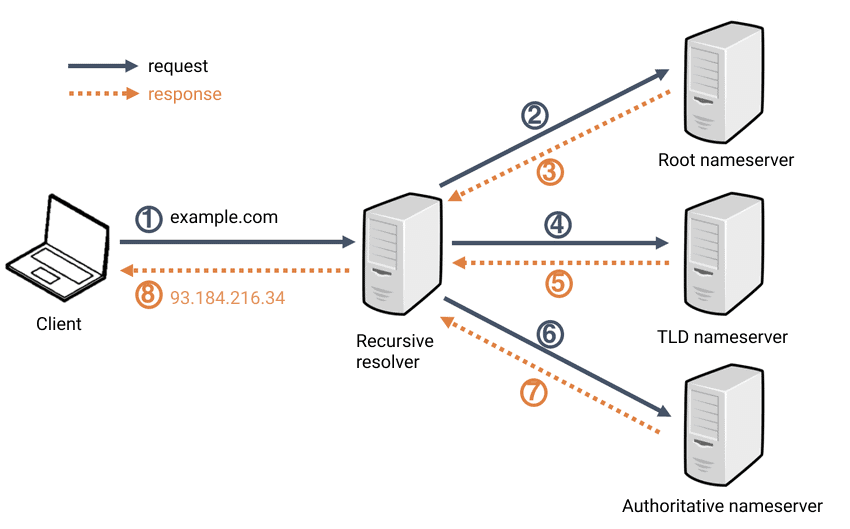
DNS (Domain Name System) is the phonebook of the internet.
Humans remember names → google.com
Computers need numbers →
142.250.183.206
DNS converts names into numbers.
Real-Life Example
Think of DNS like your phone contacts:
You tap “Mom”
Your phone secretly dials her phone number
You don’t remember the number DNS remembers it
Why Do We Need DNS Records?
DNS doesn’t store just one thing.
A domain needs information about:
Where the website lives
Where emails should go
Who controls the domain
Security and verification
DNS records are instructions that tell the internet what to do with your domain.
What Is an NS Record? (Who Is Responsible for the Domain)
NS = Name Server
An NS record answers one simple question:
“Who is in charge of this domain?”
NS records tell the internet:
Which DNS servers manage example.com
Without NS records → nothing works
What Is an A Record? (Domain → IPv4 Address)
A = Address
An A record maps:
example.com → 93.184.216.34
Real-Life Example
Website name = person’s name
IP address = house address
When someone visits your website:
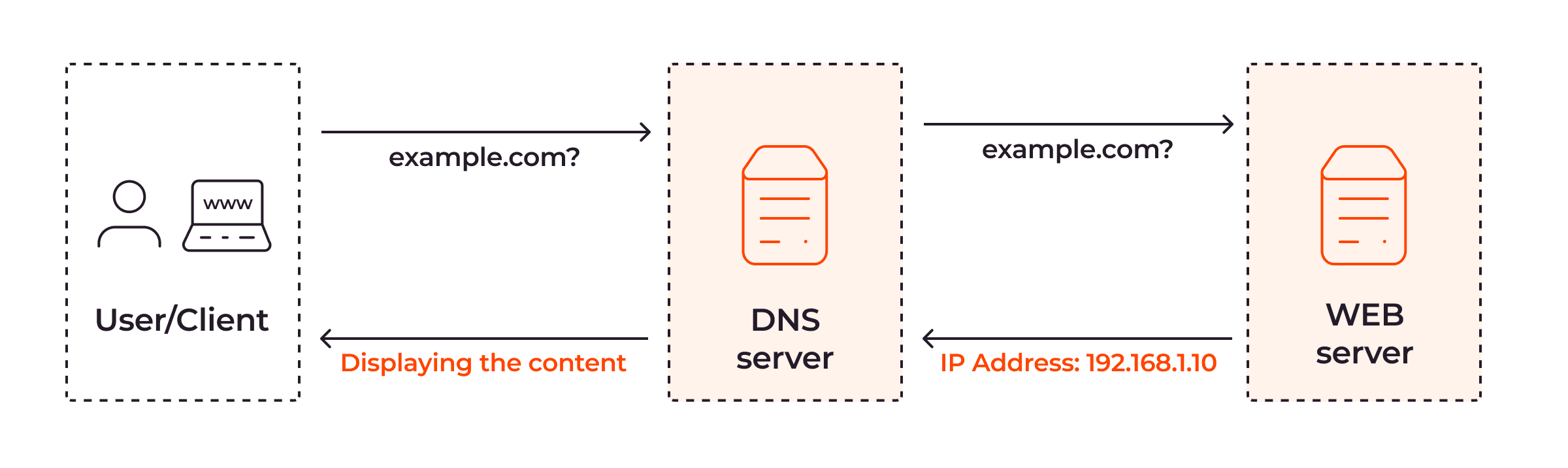
Browser asks DNS: “Where does this domain live?”
A record replies with the IPv4 address
This is the most important DNS record for websites
What Is an AAAA Record? (Domain → IPv6 Address)
AAAA record is the IPv6 version of A record.
IPv4 example:
93.184.216.34IPv6 example:
2606:2800:220:1:248:1893:25c8:1946
Why Do We Need This?
We are running out of IPv4 addresses
IPv6 gives us a lot more addresses.
Browser behavior:
If IPv6 is available → uses AAAA
Otherwise → uses A record
What Is a CNAME Record? (One Name Points to Another)
CNAME = Canonical Name
A CNAME record makes one domain point to another domain.
Example:
www.example.com → example.com
What Is an MX Record? (How Emails Find Your Mail Server)
MX = Mail Exchange
MX records answer:
“Where should emails for this domain go?”
Example:
example.com → mail.google.com
Real-Life Example
Your house has:
Home address (website)
Post office (email server)
Web traffic and email traffic go to different places.
Important Clarification
NS → who manages DNS
MX → who handles email
They are not the same.
What Is a TXT Record? (Verification & Security)
TXT records store text information.
Used for:
Domain ownership verification
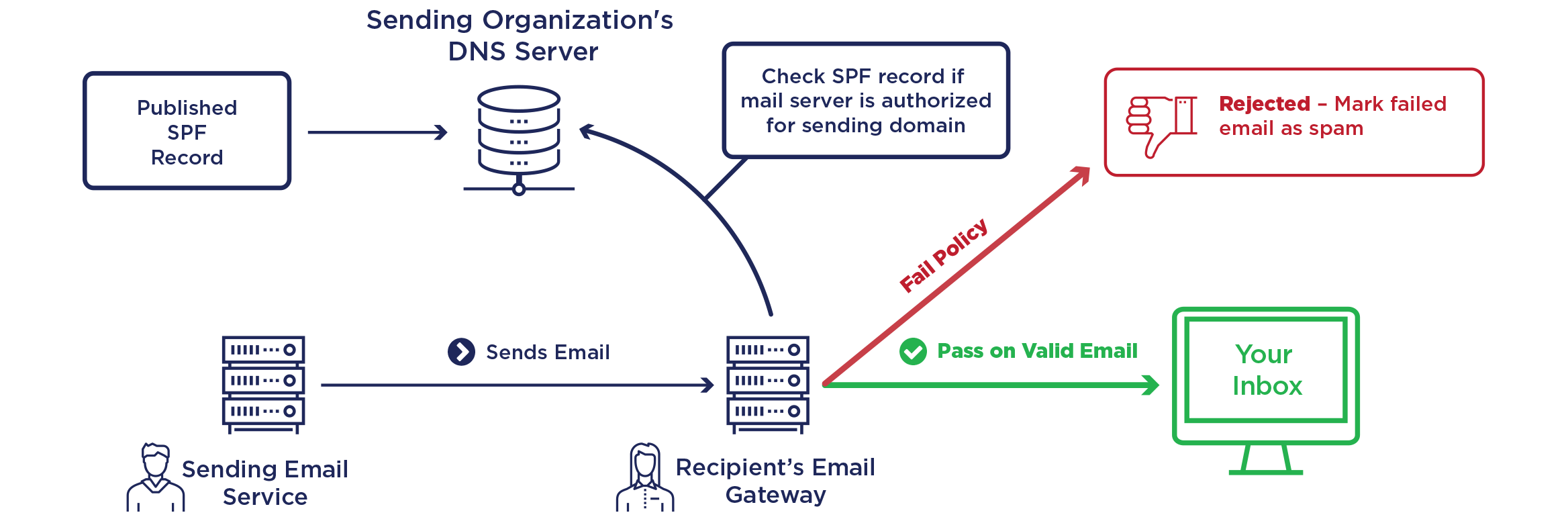
Email security (SPF, DKIM, DMARC)
Connecting services (Google, GitHub, AWS)
How All DNS Records Work Together (One Example)
Let’s take mywebsite.com
Behind the scenes:
NS Record
→ Who manages the domain
A / AAAA Record
→ Where the website lives
CNAME Record
→ Makes www.mywebsite.com work
MX Record
→ Routes emails correctly
TXT Record
→ Verifies ownership & secures email
Summary
| Record | Meaning |
| DNS | Phonebook of the internet |
| NS | Who controls the domain |
| A | Website IPv4 address |
| AAAA | Website IPv6 address |
| CNAME | Alias to another domain |
| MX | Email delivery route |
| TXT | Verification & security |
Conclusion:
Without DNS records:
- Websites wouldn’t load
- Emails wouldn’t arrive
DNS quietly makes the internet usable every day