Understanding Network Devices
How the Internet Reaches You
Think of the internet like a huge city with many roads.
When you open a website or use an app:
Data starts from your laptop or phone
Travels through cables and network devices
Reaches a server
Comes back with a response
Before your data reaches your app, it passes through these devices:
Modem
Router
Firewall
Load Balancer
Switch
Each device has one clear job.
1. What Is a Modem?
Modem = Connection to the Internet
Your Internet Service Provider (ISP) sends data in a special signal format.
Your computer cannot understand this signal directly.
What a Modem Does
Converts ISP signal into digital data
Converts digital data back into ISP signal
Connects your home or office to the internet
Without a modem → no internet
Simple Example
Internet signal comes from ISP cable
Modem converts it
Now your router and devices can use it
Real-Life Analogy
Modem is like a language translator:
ISP speaks “ISP language”
Your network speaks “computer language”
Modem translates between them

2. What Is a Router? (Traffic Controller)
Router = Decides where data should go
In your home or office, you have many devices:
laptop
mobile
TV
tablet
The router makes sure each device gets the correct data.
What a Router Does
Gives local IP addresses to devices
Sends internet data to the correct device
Sends outgoing data to the internet
Simple Example
You open YouTube on your phone
Laptop opens Google
Router sends YouTube data to phone
Router sends Google data to laptop
Real-Life Analogy
Router is like a traffic police officer:
You go left
You go right
You go straight
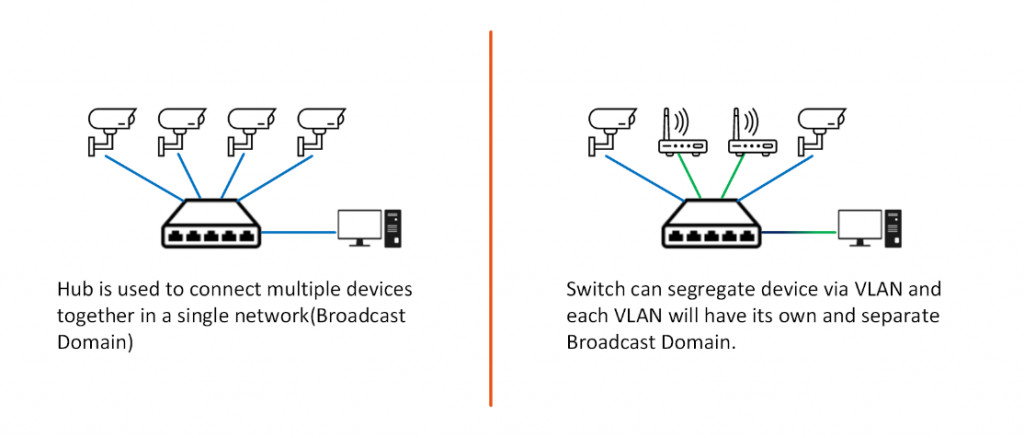
3. Hub vs Switch
Hub
Hub = Loudspeaker
Receives data
Sends it to all devices
Every device hears everything
Example
Laptop sends a message
Hub sends it to:
phone
TV
printer
Even if they don’t need it
Problems with Hub
Slow
Unsafe
Creates network noise
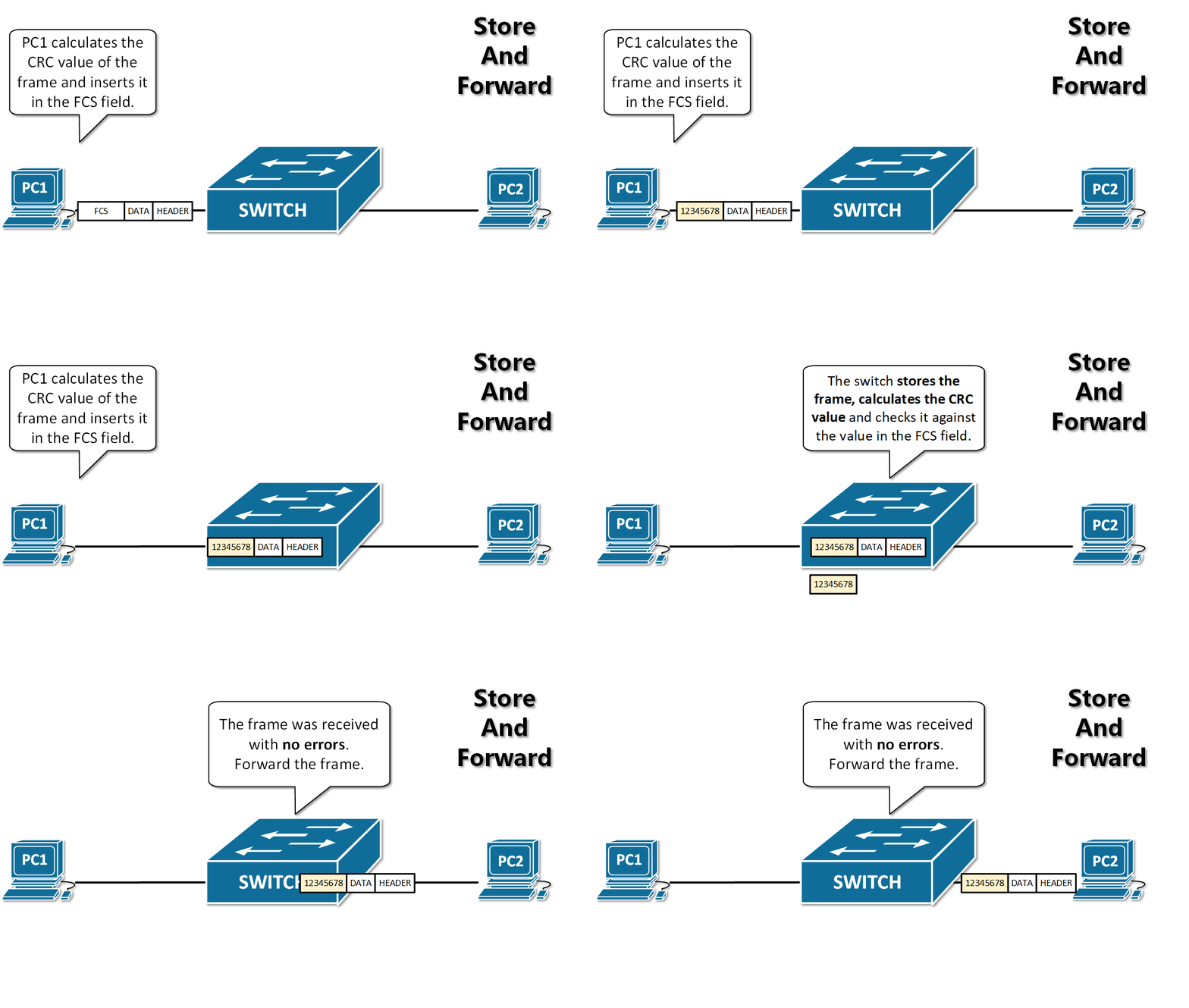
Switch
Switch = Smart delivery system
Sends data only to the correct device
Uses MAC addresses
Faster and more secure
Example
Laptop sends data to printer
Switch sends data only to the printer
Other devices don’t see it
4. What Is a Firewall? (Security Guard)
Firewall = Security gate
Firewall decides:
who is allowed
what traffic is blocked
What a Firewall Does
Blocks hackers
Allows trusted traffic
Protects internal network
Simple Example
Hacker tries to access a port
Firewall blocks the request
Website stays safe
Real-Life Analogy
Firewall is like a security guard:
Valid ID? Enter
No ID? Blocked

5. What Is a Load Balancer? (Traffic Distributor)
Load Balancer = Work distributor
When many users come at the same time:
- one server is not enough
Load balancer spreads traffic across servers.
What a Load Balancer Does
Sends requests to multiple servers
Prevents server overload
Improves speed and reliability
Simple Example
10,000 users open a website:
Some requests go to Server A
Some to Server B
Some to Server C
Real-Life Analogy
Like multiple toll booths on a highway:
Cars are distributed
No traffic jam
6. How All Devices Work Together (Real Example)
Opening a Website
User Device
   ↓
Router
   ↓
Modem
   ↓
Internet
   ↓
Firewall
   ↓
Load Balancer
   ↓
Switch
   ↓
Server
Step-by-Step Flow
You type a website URL
Router sends the request
Modem sends it to ISP
Internet carries it
Firewall checks security
Load balancer chooses a server
Switch delivers data to server
Response comes back to you
7. Why This Matters for Software Engineers ?
These devices directly affect:
latency (speed)
scaling
security
reliability
When deploying backend apps:
Firewall protects APIs
Load balancer handles traffic
Network design affects performance